\n
\n\n
\n
\n
\n
\"AULA
\n
\n

\n
\n
\n
\n
\n
\n
\"AULA
\n
\n
\n
\n
\n
\n
\n\n\n
\n
\n
\n
\n\n
\n
\n\n\n
\n
\n
\n
\n
\n
\n\n
\n
\n
\n
\n
\n
\n
\n
\n
\n
    \n
  • \n

    How to download the software? Is it compatible with Mac?

    \n

    1.Download the software via bit.ly/m/AULA

    \n

    2.This F108Pro mechanical keyboard is compatible with Windows, Mac, IOS and Android systems, but the software only supports Windows system and wired mode.

    \n
  • \n
  • \n

    How to calibrate the date/time and custom GIF images on the screen?

    \n

    1.Download and install the F108pro driver in wired mode with windows system.

    \n

    2.Find the \"TFT screen\" and click to \"Time Syns\" button.

    \n

    3.Upload an image or gif

    \n

    Note: The LCD screen has a transparent protective film that can be peeled off before use.

    \n
  • \n
  • \n

    AULA F108 Pro backlight/side light shortcut key?

    \n

    Backlight Adjustment:

    \n

    FN+\\|=switch 19 lighting effects;FN+Tab=switch lighting colors;FN+↑/↓=lighting brightness+/-;FN+→/←=lighting speed+/-

    \n

    Side Light Adjustment:

    \n

    FN+Right Shift=Switch effect;FN+/?=Switch color;FN+Right Alt=Switch brightness

    \n
  • \n
  • \n

    How to quickly solve keyboard unresponsive or other unknown issues?

    \n

    Reset the keyboard by holding down FN+ESC for a few seconds until the keyboard light flashes

    \n
  • \n
  • \n

    How to view the instruction manual? And receiving incorrect product colors

    \n

    Scan the QR on the card inside the packaging to view the instruction manual

    \n

    The keyboard packaging is uniformly gray yellow, please refer to the actual color inside the packaging for accuracy

    \n
  • \n
\n
\n
\n
\n
\n

\n
\n
\n\n
\n
\n
\n
\n
\n\n
\n\n
\n
\n

\n
\n
","image":["/images/rgbforge.shop/images/product/aula-f108-pro-1.webp","/images/rgbforge.shop/images/product/aula-f108-pro-2.webp","/images/rgbforge.shop/images/product/aula-f108-pro-3.webp","/images/rgbforge.shop/images/product/aula-f108-pro-4.webp","/images/rgbforge.shop/images/product/aula-f108-pro-5.webp","/images/rgbforge.shop/images/product/aula-f108-pro-6.webp","/images/rgbforge.shop/images/product/aula-f108-pro-7.webp","/images/rgbforge.shop/images/product/aula-f108-pro-8.webp","/images/rgbforge.shop/images/product/aula-f108-pro-9.webp","/images/rgbforge.shop/images/product/aula-f108-pro-10.webp","/images/rgbforge.shop/images/product/aula-f108-pro-11.webp","/images/rgbforge.shop/images/product/aula-f108-pro-12.webp","/images/rgbforge.shop/images/product/aula-f108-pro-13.webp","/images/rgbforge.shop/images/product/aula-f108-pro-14.webp","/images/rgbforge.shop/images/product/aula-f108-pro-15.webp","/images/rgbforge.shop/images/product/aula-f108-pro-16.webp","/images/rgbforge.shop/images/product/aula-f108-pro-17.webp","/images/rgbforge.shop/images/product/aula-f108-pro-18.webp","/images/rgbforge.shop/images/product/aula-f108-pro-19.webp","/images/rgbforge.shop/images/product/aula-f108-pro-20.webp","/images/rgbforge.shop/images/product/aula-f108-pro-21.webp","/images/rgbforge.shop/images/product/aula-f108-pro-22.webp","/images/rgbforge.shop/images/product/aula-f108-pro-23.webp","/images/rgbforge.shop/images/product/aula-f108-pro-24.webp","/images/rgbforge.shop/images/product/aula-f108-pro-25.webp","/images/rgbforge.shop/images/product/aula-f108-pro-26.webp","/images/rgbforge.shop/images/product/aula-f108-pro-27.webp","/images/rgbforge.shop/images/product/aula-f108-pro-28.webp","/images/rgbforge.shop/images/product/aula-f108-pro-29.webp","/images/rgbforge.shop/images/product/aula-f108-pro-30.webp","/images/rgbforge.shop/images/product/aula-f108-pro-31.webp","/images/rgbforge.shop/images/product/aula-f108-pro-32.webp","/images/rgbforge.shop/images/product/aula-f108-pro-33.webp","/images/rgbforge.shop/images/product/aula-f108-pro-34.webp","/images/rgbforge.shop/images/product/aula-f108-pro-35.webp","/images/rgbforge.shop/images/product/aula-f108-pro-36.webp","/images/rgbforge.shop/images/product/aula-f108-pro-37.webp","/images/rgbforge.shop/images/product/aula-f108-pro-38.webp","/images/rgbforge.shop/images/product/aula-f108-pro-39.webp","/images/rgbforge.shop/images/product/aula-f108-pro-40.webp","/images/rgbforge.shop/images/product/aula-f108-pro-41.webp","/images/rgbforge.shop/images/product/aula-f108-pro-42.webp","/images/rgbforge.shop/images/product/aula-f108-pro-43.webp","/images/rgbforge.shop/images/product/aula-f108-pro-44.webp","/images/rgbforge.shop/images/product/aula-f108-pro-45.webp","/images/rgbforge.shop/images/product/aula-f108-pro-46.webp","/images/rgbforge.shop/images/product/aula-f108-pro-47.webp","/images/rgbforge.shop/images/product/aula-f108-pro-48.webp","/images/rgbforge.shop/images/product/aula-f108-pro-49.webp","/images/rgbforge.shop/images/product/aula-f108-pro-50.webp","/images/rgbforge.shop/images/product/aula-f108-pro-51.webp","/images/rgbforge.shop/images/product/aula-f108-pro-52.webp","/images/rgbforge.shop/images/product/aula-f108-pro-53.webp","/images/rgbforge.shop/images/product/aula-f108-pro-54.webp","/images/rgbforge.shop/images/product/aula-f108-pro-55.webp"],"sku":"aula-f108-pro","brand":{"@type":"Brand","name":"AULA Official Shop"},"offers":{"@type":"AggregateOffer","lowPrice":26.4,"highPrice":26.97,"priceCurrency":"USD","availability":"https://schema.org/InStock","url":"https://rgbforge.shop/products/aula-f108-pro","offerCount":6}}
HomeStore

AULA F108 Pro Full Size vision Knob Keyboard

Product image 1
1 / 55

AULA F108 Pro Full Size vision Knob Keyboard


Product Description

AULA F108 PRO - computer keyboard

AULA F108 PRO - creamy keyboard with number pad
  • How to download the software? Is it compatible with Mac?

    1.Download the software via bit.ly/m/AULA

    2.This F108Pro mechanical keyboard is compatible with Windows, Mac, IOS and Android systems, but the software only supports Windows system and wired mode.

  • How to calibrate the date/time and custom GIF images on the screen?

    1.Download and install the F108pro driver in wired mode with windows system.

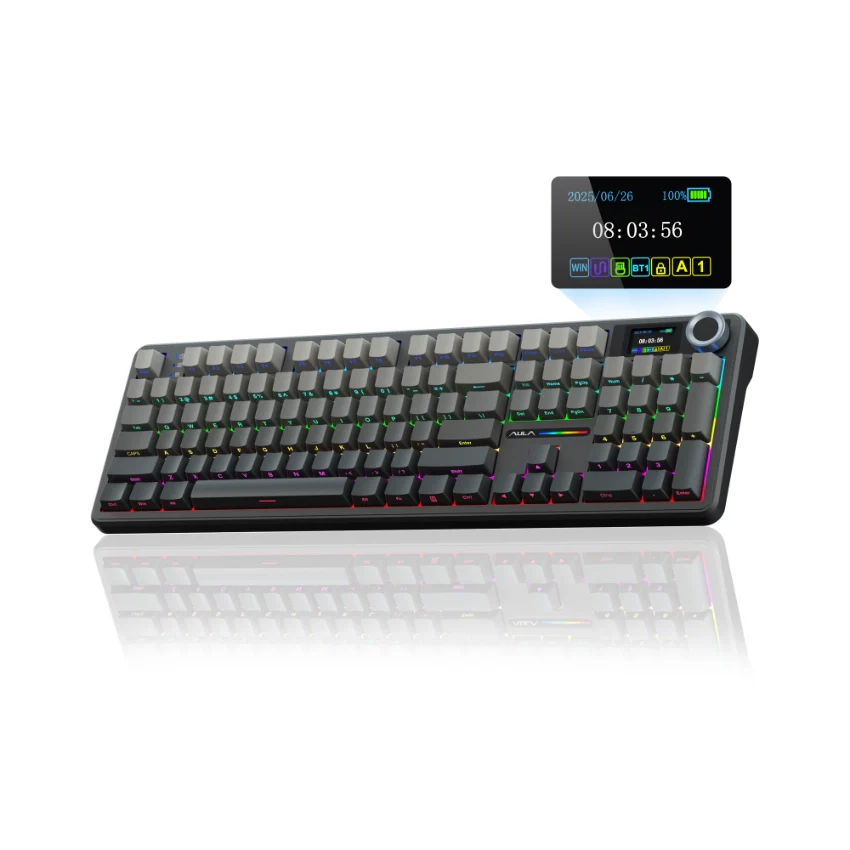
    2.Find the "TFT screen" and click to "Time Syns" button.

    3.Upload an image or gif

    Note: The LCD screen has a transparent protective film that can be peeled off before use.

  • AULA F108 Pro backlight/side light shortcut key?

    Backlight Adjustment:

    FN+\|=switch 19 lighting effects;FN+Tab=switch lighting colors;FN+↑/↓=lighting brightness+/-;FN+→/←=lighting speed+/-

    Side Light Adjustment:

    FN+Right Shift=Switch effect;FN+/?=Switch color;FN+Right Alt=Switch brightness

  • How to quickly solve keyboard unresponsive or other unknown issues?

    Reset the keyboard by holding down FN+ESC for a few seconds until the keyboard light flashes

  • How to view the instruction manual? And receiving incorrect product colors

    Scan the QR on the card inside the packaging to view the instruction manual

    The keyboard packaging is uniformly gray yellow, please refer to the actual color inside the packaging for accuracy


Select color
Select switch
From $26.40

Original: $88.00

-70%
AULA F108 Pro Full Size vision Knob Keyboard

$88.00

$26.40

Product Information

Shipping & Returns

Description


Product Description
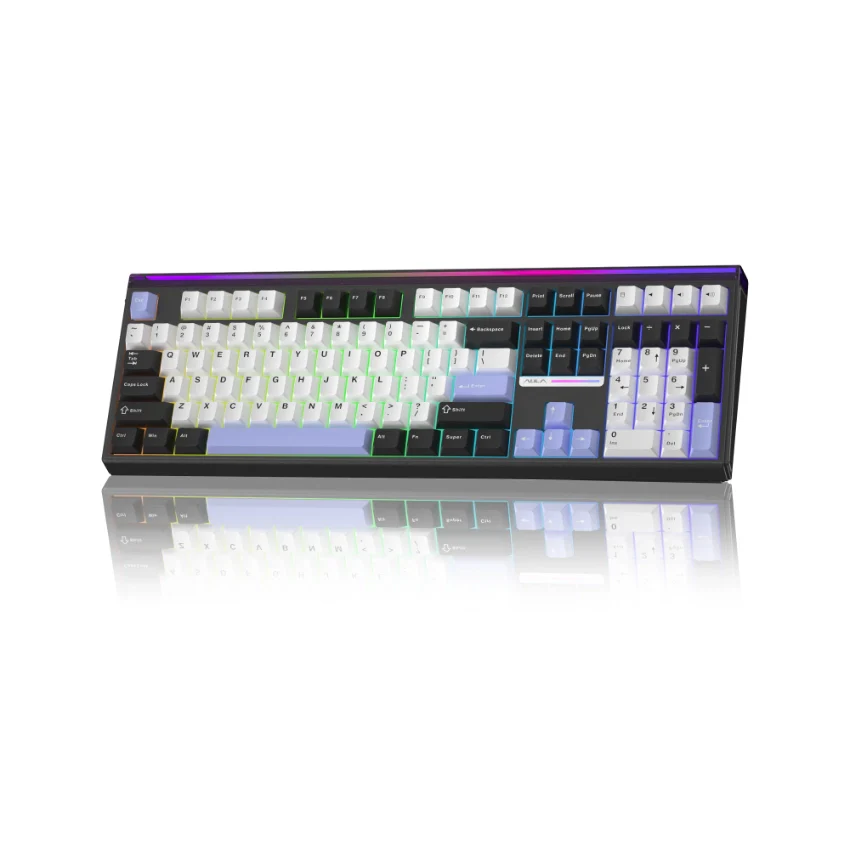
AULA F108 PRO - computer keyboard

AULA F108 PRO - creamy keyboard with number pad
  • How to download the software? Is it compatible with Mac?

    1.Download the software via bit.ly/m/AULA

    2.This F108Pro mechanical keyboard is compatible with Windows, Mac, IOS and Android systems, but the software only supports Windows system and wired mode.

  • How to calibrate the date/time and custom GIF images on the screen?

    1.Download and install the F108pro driver in wired mode with windows system.

    2.Find the "TFT screen" and click to "Time Syns" button.

    3.Upload an image or gif

    Note: The LCD screen has a transparent protective film that can be peeled off before use.

  • AULA F108 Pro backlight/side light shortcut key?

    Backlight Adjustment:

    FN+\|=switch 19 lighting effects;FN+Tab=switch lighting colors;FN+↑/↓=lighting brightness+/-;FN+→/←=lighting speed+/-

    Side Light Adjustment:

    FN+Right Shift=Switch effect;FN+/?=Switch color;FN+Right Alt=Switch brightness

  • How to quickly solve keyboard unresponsive or other unknown issues?

    Reset the keyboard by holding down FN+ESC for a few seconds until the keyboard light flashes

  • How to view the instruction manual? And receiving incorrect product colors

    Scan the QR on the card inside the packaging to view the instruction manual

    The keyboard packaging is uniformly gray yellow, please refer to the actual color inside the packaging for accuracy